
Top prompts to give Claude to create a social post
Prompts for Claude that write a social post in your voice: the five things every prompt needs, eight prompts to copy, and how to get the post out.
At a glance
- Covers
- 8 prompts to copy
- Works in
- Any Claude chat
- To post it
- Add the Rebbel connector
- Source
- Anthropic's prompting guide
- Plans
- Every plan
The best prompt for a social post tells Claude five things: who your business is, who the post is for, the one point it makes, the facts it may use, and how it should sound. Give it those, ask for three versions, and pick one. Below are eight prompts you can copy, and what changes when Claude can also post for you.
In this post
1. Why a short prompt gets a generic post
Anthropic's guide to prompting Claude says to think of Claude as a brilliant new employee who doesn't know your ways yet: the more precisely you explain what you want, the better the result. "Write an Instagram post for my bakery" tells it almost nothing, so it fills the gaps with the most average bakery post it can think of.
The same guide gives a quick test: show your prompt to a colleague who knows nothing about the task. If they would be confused, Claude will be too. A good post prompt passes that test before you send it.
2. The five things every post prompt needs
Who you are: the business, the town and what you sell, in a line or two. Who the post is for: a regular, a first-time customer, another business. The one point: one offer, one moment or one tip, never three. The facts it may use: the price, the date, the name of the thing, so it never has to guess. How it should sound: two or three of your own past posts, pasted in as examples.
Anthropic's guide calls examples one of the most reliable ways to steer Claude's tone and format, and suggests three to five of them. It also says to tell Claude what to do rather than what not to do: "write short, plain sentences" works better than a list of things to avoid. And give the reason. "Keep it short, because people read it while they scroll" tells Claude why, not only what.
3. Prompt 1: the everyday post
You write social posts for [business], a [type of business] in [town]. Our customers are [who]. Write a [Facebook or Instagram] post about [the one point]. Use only these facts: [facts]. Write in short, plain sentences, the way we talk to customers at the counter. End with one thing to do: [book, call, visit or reply]. Give me three versions, each with a different opening line.
 Claude

 ChatGPT

 Perplexity

Three versions with different openings give you a choice without a rewrite. Pick the one that sounds most like you, then ask for one change at a time.
4. Prompt 2: write it in my voice
Here are three posts we wrote ourselves, each inside <example> tags. Read them for how we sound: sentence length, the words we use, how we open and how we end. Then write a new post about [topic] in the same voice, with new sentences of its own.
Then paste your three posts, each one between <example> and </example>.
Anthropic's guide suggests tags like these so Claude can tell your examples apart from your instructions. Pick posts your customers answered, not the ones you were proudest of.
5. Prompt 3: an offer post
Write an Instagram post for our [offer]: [what it is], [price], [dates]. Lead with what the customer gets, then the price. Say the end date plainly. End with how to claim it: [a link, a code, or show this post at the counter]. Keep the caption short enough to read without tapping more.
An offer post falls apart when the facts are fuzzy. Give Claude the exact price and the exact end date, and never let a draft keep a deadline or a number you didn't give it.
6. Prompt 4: a real moment from this week
Something happened at [business] this week: [what happened, in your own words]. Turn it into a short Facebook post that tells it plainly, the way you'd tell a regular. No sales pitch. One line at the end that invites a reply.
These posts work because only you have the moment. Claude's job is to tidy the telling, not to add to it, so read the draft for anything it made up and take it out.
7. Prompt 5: teach one useful thing
Write a post that teaches our customers one thing they probably don't know about [topic], from what we see every day: [your tip]. Name the specific place to look and the specific change to make. Plain words, no jargon. End with one line on how we can help.
A tip post earns attention when the tip is yours. Give Claude the tip, from your own work, and let it handle the wording.
8. Prompt 6: one idea, three channels
Here is our Facebook post: [post]. Rewrite it for Instagram (a caption that starts strong), for LinkedIn (a first-person note from me, the owner) and for X (one short line). Keep the same facts in all three.
Each channel reads differently, so one post copied everywhere looks out of place. Asking for all three at once keeps the facts the same while the shape changes.
9. Prompt 7: read it like a customer
Read this post as a first-time customer who has never heard of us. Tell me the one line that is vague or that you'd skip, and rewrite only that line. Then check every fact against this list: [facts]. Point out anything in the post that isn't on the list.
This is the prompt most people skip. It catches the made-up detail, the vague middle and the ending with no ask, before your customers see them.
10. Prompt 8: a month of ideas from your own pages
Here is the text of our services page and our about page: [paste]. List 12 post ideas for the next month, three a week. For each one, give the point in one line, the channel, and the fact from our pages it uses. Only use facts from these pages.
Pasting the text yourself keeps Claude working from what your business actually says, not from a guess. Then run Prompt 1 on each idea you like.
11. When Claude can post it for you
Every prompt above ends with you copying the post into Facebook or Instagram by hand. Add the Rebbel connector and the prompts get shorter: Rebbel reads your website once and keeps a brand guide of your voice, facts and offers, so you stop pasting them into every chat.
Then the prompts are about the job, not the setup: "Create a brand for [your website]." "Draft three Facebook posts for our fall sale." "Make a carousel for our new menu." "Make the second one shorter." "Schedule the first three for 9am Tuesday, Thursday and Saturday." "How did last week's posts do?" Each post comes with its image, and nothing goes out until you say so.
Social media with Claude covers what the connector does, and the Facebook and Instagram setup guide walks through connecting your Page.
Who it's for
- Owners who use Claude to write posts and want them to sound like their business.
- Anyone who tried a one-line prompt and got a generic post back.
Set it up
- Copy Prompt 1 and fill in the brackets with your own facts.
- Paste two or three of your own past posts as examples.
- Add Rebbel to Claude when you want Claude to post for you.
Good to know
- The prompts work in any Claude chat; posting to your accounts needs a connector.
- Check every fact in a draft before it goes out.
- With Rebbel connected, nothing publishes until you say so.
Common questions
What is the best prompt for Claude to write a social media post?
One that tells Claude who your business is, who the post is for, the one point it makes, the facts it may use and how it should sound, with two or three of your own past posts as examples. Ask for three versions with different opening lines.
How do I get Claude to write in my brand voice?
Paste two or three posts you wrote yourself, each inside example tags, and ask Claude to match their sentence length, words and endings. Anthropic's prompting guide calls examples one of the most reliable ways to steer tone and format.
Why does Claude make up details in my posts?
Usually because the prompt left a gap. Give it the exact facts it may use, tell it to use only those, and ask it to point out anything in the draft that isn't on your list.
Can Claude post to Instagram or Facebook for me?
Not on its own. With the Rebbel connector added, Claude can draft the post with its image, schedule it and publish it to your connected accounts, and nothing goes out until you say so.
Keep reading
GuideOct 13, 2026 · Every plan
Social media with Claude: what it can do, and how
What Claude does for social media on its own, what a connector adds, and which page walks through each part: campaigns, carousels, posts and results.
Setup guide →
GuideSep 25, 2026 · Every plan
Claude for social media campaigns: a marketing department in your chat
Claude can write a post. With Rebbel connected it can run the whole loop: brand guide, strategy, campaigns, scheduling. Nothing goes out until you say so.
GuideNov 8, 2026 · Every plan
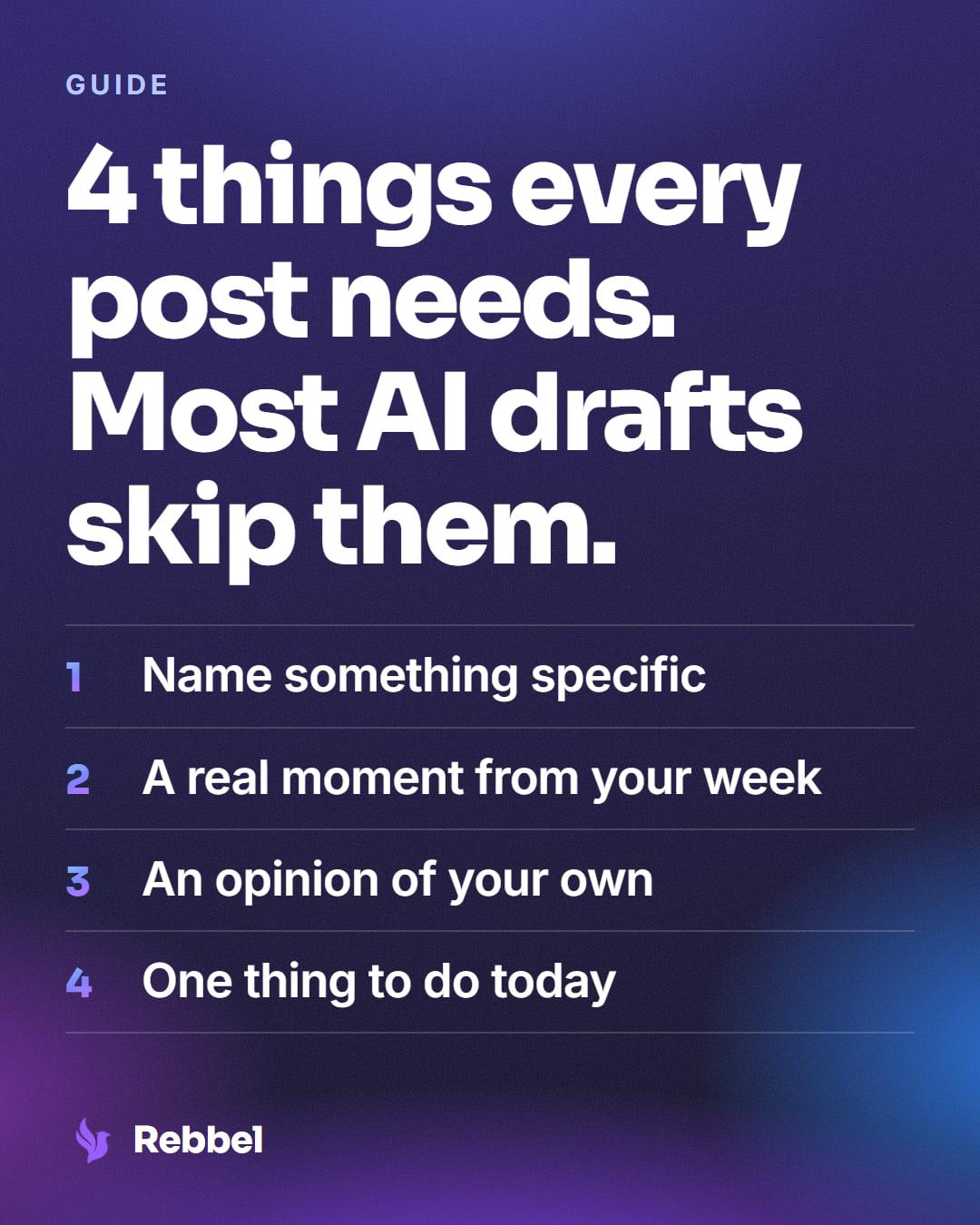
4 things every post needs. Most AI drafts skip them.
Most marketers now use AI every day. Here are the 4 things that make a post yours, with quick examples, and how to check yours.

GuideSep 25, 2026 · Every plan
How to post to Instagram from Claude
Connect Rebbel to Claude and Instagram once, and Claude can draft, schedule and publish image posts and carousels. Nothing goes out until you say so.
Setup guide →
GuideNov 19, 2026 · Every plan
Canva and AI for social posts in 2026
What Canva's AI does for social posts in 2026, how Canva works inside Claude, and the short path from a Canva design to a post that goes out on your OK.

GuideNov 19, 2026 · Every plan
Claude marketing bot: how to set Claude up to run your marketing
How to set Claude up as a marketing bot for a small business: connectors, Cowork, Claude for Small Business, and the rules to set before it posts anything.
Last reviewed Nov 26, 2026.